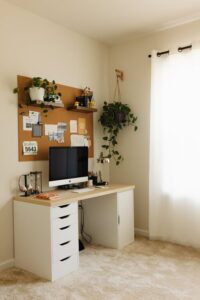
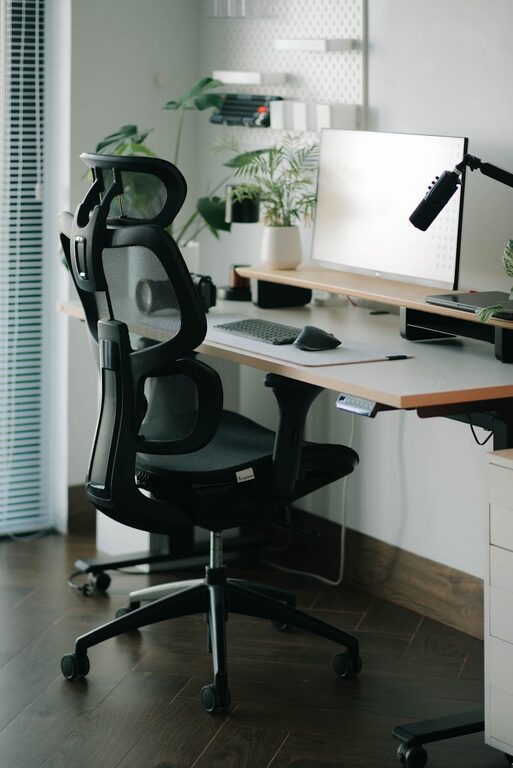
Creating a home office space that is both comfortable and productive is essential for anyone working from home. A well-designed workspace can improve focus, reduce stress, and even increase job satisfaction. Whether you have a dedicated room or just a small corner, there are simple steps you can take to make your home office work better for you.
Choosing the Right Location
Find a Quiet Spot
Select a place in your home that is quiet and free from distractions. If you have children or roommates, try to find a room with a door you can close. If space is limited, a corner in a less-used room can work well.
Consider Natural Light
Working near a window can boost your mood and energy levels. Natural light helps reduce eye strain and keeps you alert. Position your desk so that the light comes from the side rather than directly behind or in front of your screen to avoid glare.
Invest in Comfortable Furniture
Ergonomic Chair
A comfortable, supportive chair is key to long hours at your desk. Choose a chair that supports your lower back and allows your feet to rest flat on the floor. Adjustable features can help you find the best position for your body.
Desk Height and Space
Your desk should be at a height where your arms can rest comfortably while typing. Ensure you have enough space for your computer, paperwork, and other tools. Consider a desk with drawers or shelves to keep essentials within reach but out of sight.
Organize Your Workspace
Declutter Regularly
Keep only what you need on your desk. A clutter-free space helps reduce distractions and creates a calm environment. Use containers, trays, or drawer organizers to keep smaller items tidy.
Cable Management
Tidy up cords and cables with clips or cable sleeves. Neatly arranged wires prevent tangling and accidents, and they make your workspace look cleaner.
Optimize Lighting
Layer Your Lighting
Use a combination of overhead lighting and a task lamp. Overhead lights provide general illumination, while a desk lamp offers focused light for reading or detailed work.
Adjust Brightness
Choose bulbs that provide a warm but bright light. Dimmable lamps let you control the lighting level depending on the time of day or the type of task.
Personalize Your Space
Add Plants
Small plants can improve air quality and add a touch of nature to your office. They also make your space more inviting and lively.
Use Artwork and Photos
Decorate your office with images that inspire or relax you. Personal touches can make the workspace feel more comfortable and less like a sterile environment.
Manage Noise
Use Noise-Cancelling Headphones
If you cannot avoid some noise, noise-cancelling headphones can help you focus by blocking distracting sounds.
Background Music or White Noise
Some people find soft music or white noise helpful for concentration. Experiment to see what works best for you.
Maintain Good Posture and Take Breaks
Ergonomic Tips
Keep your monitor at eye level, your wrists straight while typing, and avoid slouching. Adjust your setup to minimize physical strain.
Take Regular Breaks
Stand, stretch, and take short walks every hour. This helps reduce fatigue and improves circulation.
Utilize Technology Wisely
Reliable Internet Connection
A steady internet connection is essential for remote work. Position your router nearby or use a wired connection for better speed.
Efficient Tools and Apps
Use productivity apps to stay organized and focused. Calendar tools, task managers, and communication platforms can streamline your daily routine.
Keep Your Workspace Clean
A clean office promotes better concentration and wellbeing. Set a weekly routine to dust, wipe surfaces, and vacuum or sweep the floor.
Conclusion
Designing a comfortable and productive home office does not require a large budget or a perfect room. Focus on creating a space that meets your needs, supports your work habits, and makes you feel good. Remember that flexibility and regular adjustments can help keep your workspace effective over time. With these tips, you are on the right path to a better work-from-home experience.